Managing Kubernetes with ArgoCD
#Introduction
Managing Kubernetes gets tricky fast once you have multiple clusters. ArgoCD, a GitOps tool, has made that a lot more manageable for me.
At the beginning of your Kubernetes journey you usually start with only one running cluster, but as your needs grow things become a lot more complex. With each additional cluster the chances of making manual changes causing issues increases as well.
#The Challenge of Managing Multiple Clusters
Deploying across clusters isn’t the only thing that can turn into a headache. You also need to think about managing all the other core services your clusters need—load balancer controllers, ingresses, secret managers, monitoring—and keeping them all updated across clusters can be a nightmare.
#The Manual Approach and Its Limitations
I used to handle all of this manually. I had a k8s repo with all the necessary YAML, set up using Helm, kustomize, or just plain files. But as the number of clusters grew, it got harder to keep everything consistent between what’s defined in the repo and what’s actually deployed. That’s when I decided to set up ArgoCD. The main issue is that I would forget to rollout changes to one or more clusters and the deployed core services would be using different versions and be inconsistent.
#Setting Up ArgoCD in an Orchestration VPC
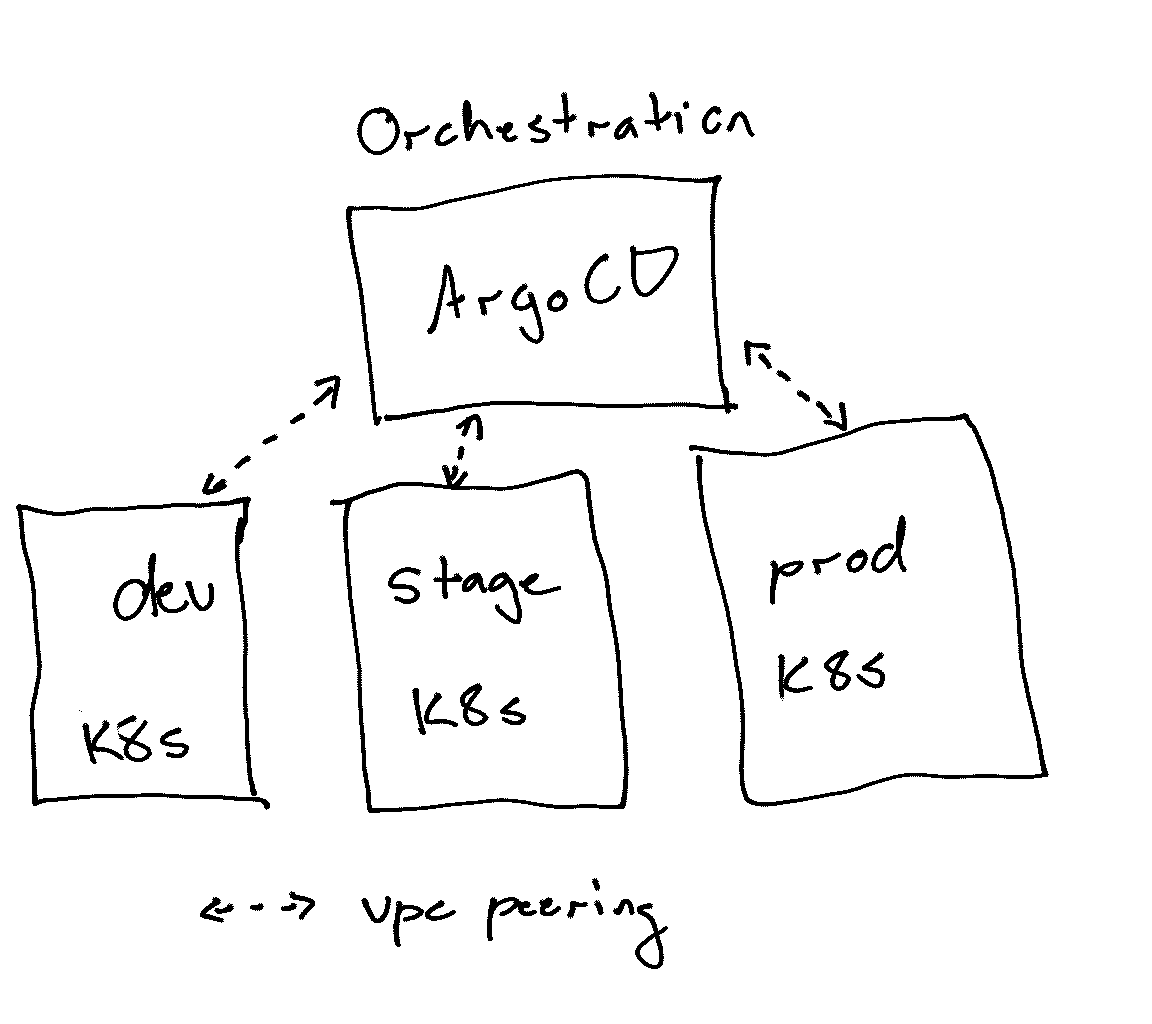
I chose to run ArgoCD in what I call an “orchestration VPC.” I didn’t want it living inside one of the actual environments it manages. Putting ArgoCD in an orchestration VPC just felt cleaner—it didn’t make sense for prod to manage dev, or vice versa. Plus, this keeps it ready for other shared services down the road.
#Centralized vs. Distributed ArgoCD
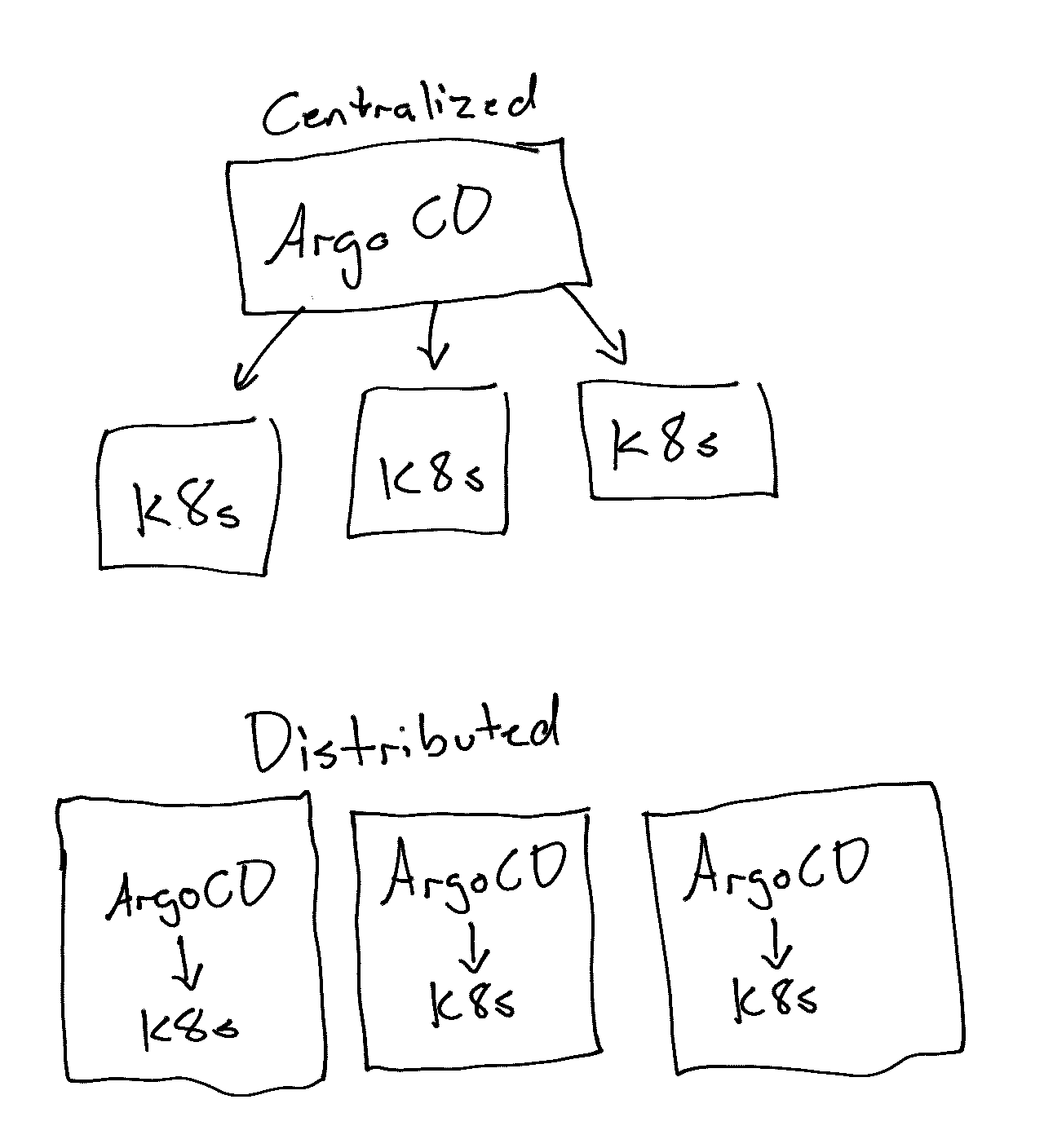
I thought about putting ArgoCD in every environment, and it was tempting. But that would add a lot of extra work—more overhead to maintain a tool that’s supposed to make things easier. So I kept it centralized instead. Centralizing it also meant I could troubleshoot everything from one place—less context-switching when things went sideways.
#Bootstrapping ArgoCD with “Inception”
I set up ArgoCD by creating a folder in my k8s repo called “inception.” I used that to bootstrap ArgoCD. Once it was running, I set it up to manage itself with an application, basically an “ArgoCD app that updates ArgoCD.” That way any change to the ArgoCD config goes through the same process as everything else, a git commit, and it stays in sync without me doing anything by hand.
#Making a Kubernetes Cluster “Ready” with ArgoCD
For me, ArgoCD’s main job is to take a new Kubernetes cluster and get it “ready.” It installs all the basics—controllers, operators, whatever I need before any application workloads start deploying. While ArgoCD can handle deployments, I stick with GitHub Actions for apps because it triggers instantly—ArgoCD’s polling mechanism can be too slow when you want a quick deploy. I could expose ArgoCD so that it can accept webhooks from Github to update faster, but I did not want to expose ArgoCD to the internet.
#Pain Points: User Management and Resource Limits
ArgoCD definitely has some pain points. User management, for example, can be a bit annoying. The first thing you want to do after logging in with the default admin user is hook it up to central authentication using Dex. There are guides for providers like Google and Okta, but it still takes some fiddling to get right.
Another thing to watch out for is resource requests and limits for ArgoCD itself. If your cluster has other things running on it, and ArgoCD’s deployments don’t have those limits set, you could run into trouble. Other workloads might hog resources, leaving ArgoCD struggling. I patched the base install.yaml with kustomize to add those limits and make sure ArgoCD runs smoothly.
Despite these issues, ArgoCD has made managing clusters a lot smoother for me—it’s just a matter of getting the setup right.
#Wrapping Up
Once you have more than a couple of clusters, keeping them consistent by hand gets overwhelming. ArgoCD has made a big difference for me. My clusters stay consistent, and setting up a new one is mostly a matter of pointing ArgoCD at it, so I spend a lot less time thinking about how everything is deployed.